

Your process map changed. Does the SOP still describe the same work?
A revised handoff or decision route gives the process owner a specific review task. The register, map and written procedure need to describe the same step, with consistent responsibilities and version context. That agreement matters before the revised procedure is released to its users.
Pragy Consulting’s Process Mapping & SOP Toolkit provides editable Excel registers, PowerPoint maps and Word resources for this working session. This SOP toolkit helps you organize the process, agree roles and prepare the procedure. Its files remain independent, so the team keeps identifiers, decisions and versions aligned manually.
Choose one step worth tracing
Start with a bounded process and one changed step. It might be a handoff to another role, a different information requirement or a revised return route for an incomplete request.
Use the Process Register and SIPOC to establish the process owner, boundaries, inputs and outputs. Then locate the relevant Step Register and RACI entries. These records give the review a concrete starting point: which work changed, who acts and who is accountable?
The Excel checks flag issues such as missing or duplicate IDs, unknown references and unclear RACI assignments. Resolve the flagged records, confirm the intended authority with the team, then compare the related map and procedure.
Worked example: carry one step across three files
Consider a purchasing review where the team changes who checks an incomplete request and where it returns for clarification. The map has been revised, while the SOP still describes the previous route. Use that single change to work through the following checks.
- Locate the step in Excel. Confirm the process and step identifiers, the action being recorded and the relevant roles. Review the RACI entry with the people responsible for the work. The register checks support that review; your team confirms the actual assignments and authority.
- Follow the route in PowerPoint. Show the same role and decision condition in the editable map. Follow the complete-request route and the return-for-clarification route. Keep decision labels with their shapes and recheck arrow endpoints after moving them.
- Read the corresponding Word instruction. Make the procedure explain who checks the request, what information is needed, where an incomplete request goes and which records are retained. Compare its process references, roles and version fields with the register and map.
- Trial the proposed procedure. Walk through representative complete and incomplete requests. Record the trial evidence and resolve differences using the review and rollout checklist. Obtain the designated approval, prepare users and replace obsolete copies through your organization’s release process.
The included purchasing example gives you a starting point for this exercise. Its sample SOP remains a draft: adapt the requirements, roles and authority to your own work, then complete your trial, approval and training. Keep the released files in your controlled master location and archive superseded versions.
View the SOP toolkit and choose your licence.
What the SOP toolkit gives you
The package includes blank and completed-example Excel workbooks with eight worksheet areas and six operational registers: Process Register, SIPOC, Step Register, RACI, SOP Register and Improvement Priorities. The Summary view brings portfolio counts, overdue reviews and other records needing attention into the discussion.
The eight-slide PowerPoint collection includes SIPOC, current-state and future-state swimlane templates, a purchasing example with exception paths and a map-to-SOP handoff review. Native shapes and text are editable; the companion PDF provides a reading copy.
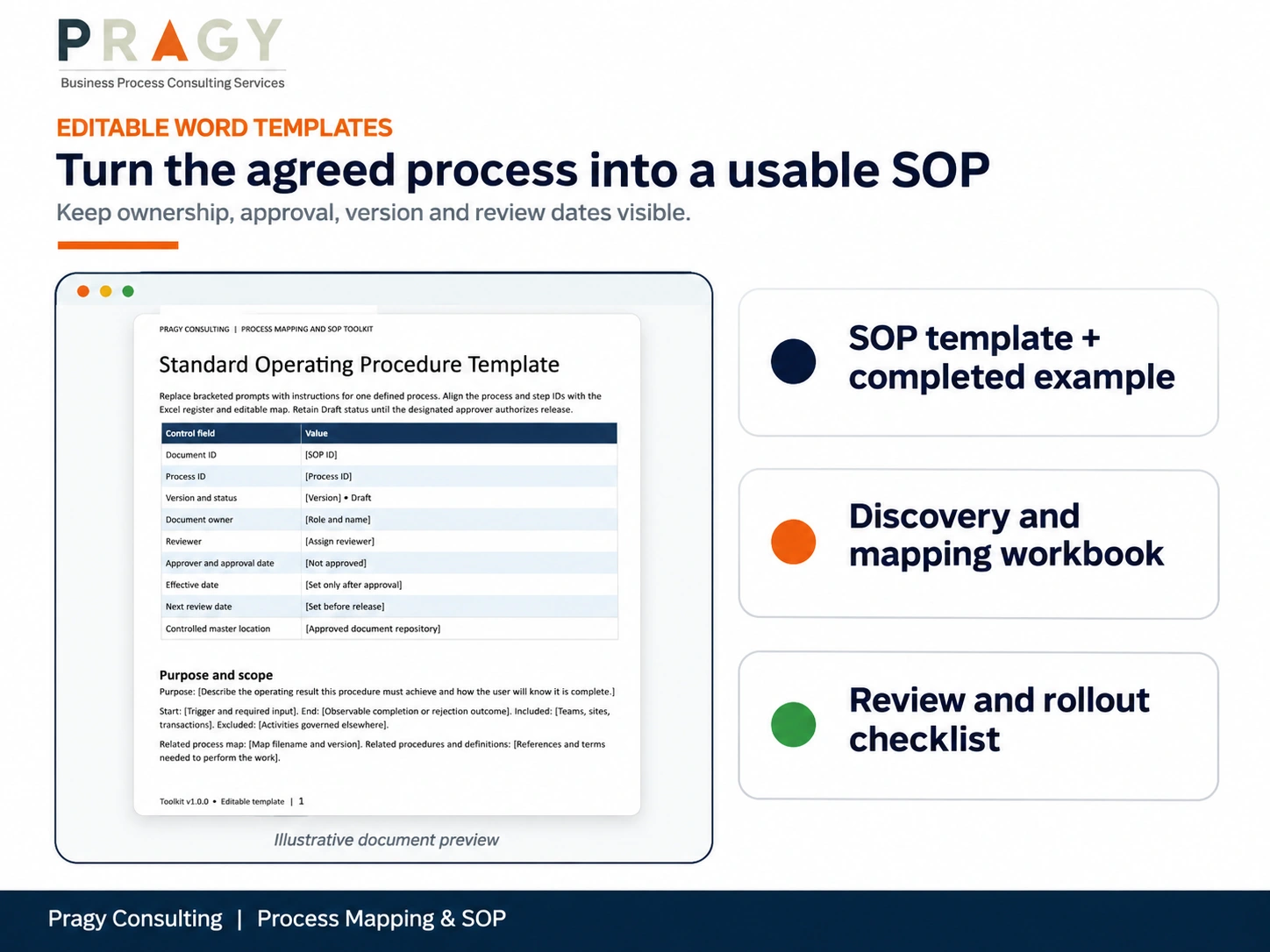
Word resources include the SOP template and purchasing example, Process Discovery and Mapping Workbook, and SOP Review and Rollout Checklist. The procedure template covers scope, document control, roles, steps, exceptions, records, measures, trial acceptance and revisions. A three-page Quick Start Guide in Word and PDF, README, file manifest and selected licence complete the package.
How This Helps Business Leaders
The useful decision is specific: which difference needs resolving before people receive the revised procedure, and who owns that resolution?
A shared set of process and step identifiers gives reviewers a practical way to trace the work. Roles, decision wording and version fields make the discussion concrete. Bring the related files into the same review, record the open questions and agree who will resolve them. The toolkit supplies working records and prompts while the process owner and designated approver retain their decisions.
Check the fit for your team
The target applications are current desktop Excel, Word and PowerPoint on Windows. Microsoft 365 desktop is recommended; Office software is separate. The XLSX files contain no VBA macros or external workbook links.
Each Excel register has 100 prepared input rows. Extending capacity requires coordinated changes to formulas, validation, formatting and summary ranges, followed by checking the result. Keep IDs, roles and versions consistent across the independent files. Evaluate saving and sorting in your licensed Office environment before operational use, following the Read Me.
Single User covers one named internal user. Team / Business covers employees and supervised contractors of one purchasing legal entity for its internal use; affiliates and clients need their own licence. Review the current options and Digital Product Terms for your intended use.
How Pragy Consulting Can Help
Use the Process Mapping & SOP Toolkit to prepare your next process-review session. Follow the sample, choose one bounded process and bring its register, map and procedure together for review.
Standard support covers file access and documented compatibility. Facilitation, customization, integration and implementation require a separate scope. Explore the included resources and choose the licence that fits the people and use you have in mind.