
Description
Turn the way work happens into a procedure people can follow.
Before a useful SOP can be written, the team needs to agree where the process starts, who does each step, and what happens when the normal route breaks down. The Pragy Process Mapping & SOP Toolkit helps you work through those questions, then carry the agreed process into an editable procedure and rollout checklist.
Use familiar Excel, Word and PowerPoint files to document one process at a time. A completed fictional purchasing example shows how the same process ID, step IDs and responsibilities connect across the registers, maps and SOP.
From observation to a usable standard
Define what the process must deliver
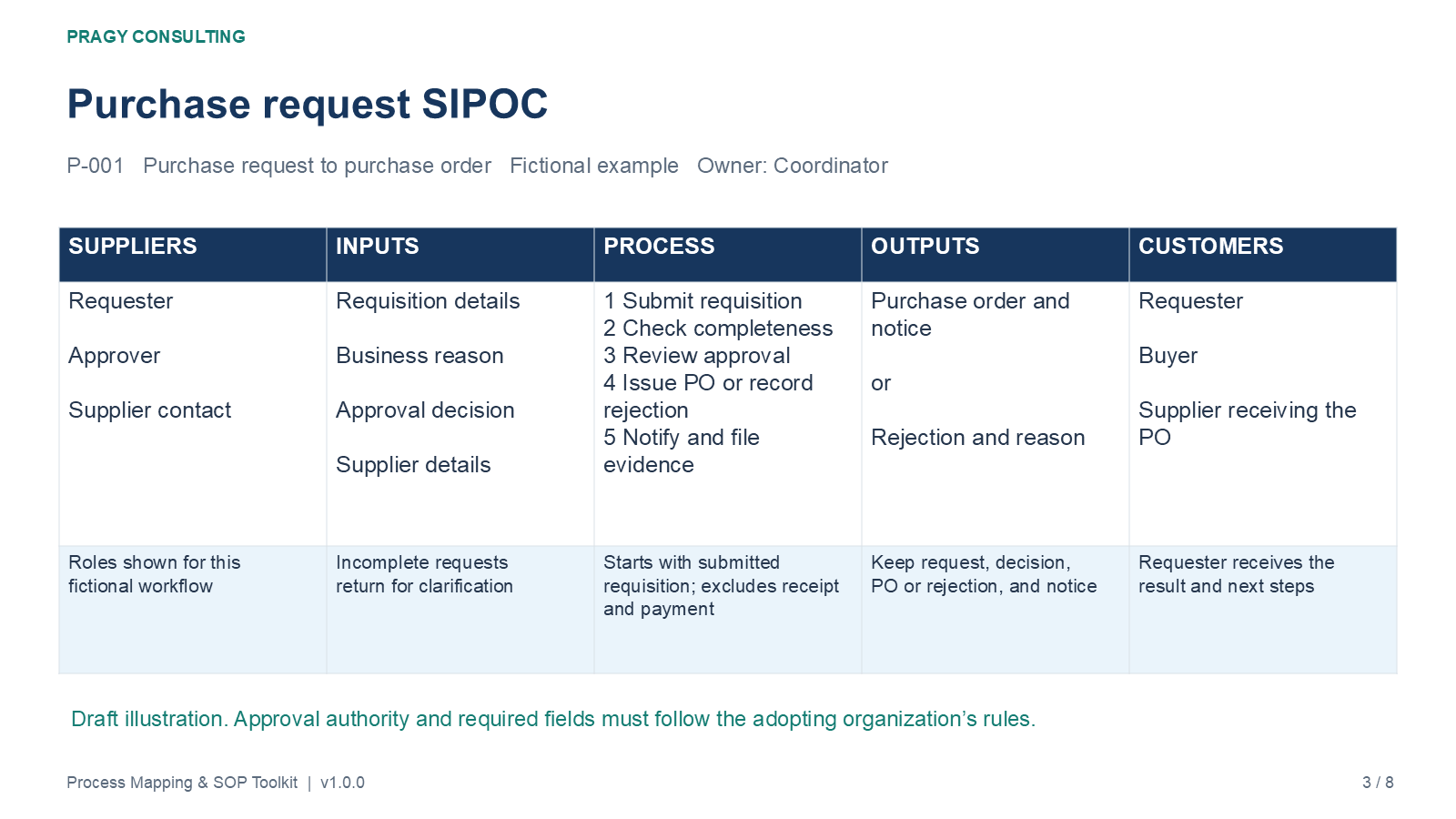
Set its start, end, owner and boundaries. Use SIPOC to clarify suppliers, inputs, major activities, outputs and the people who receive the result.
Make handoffs and decisions visible
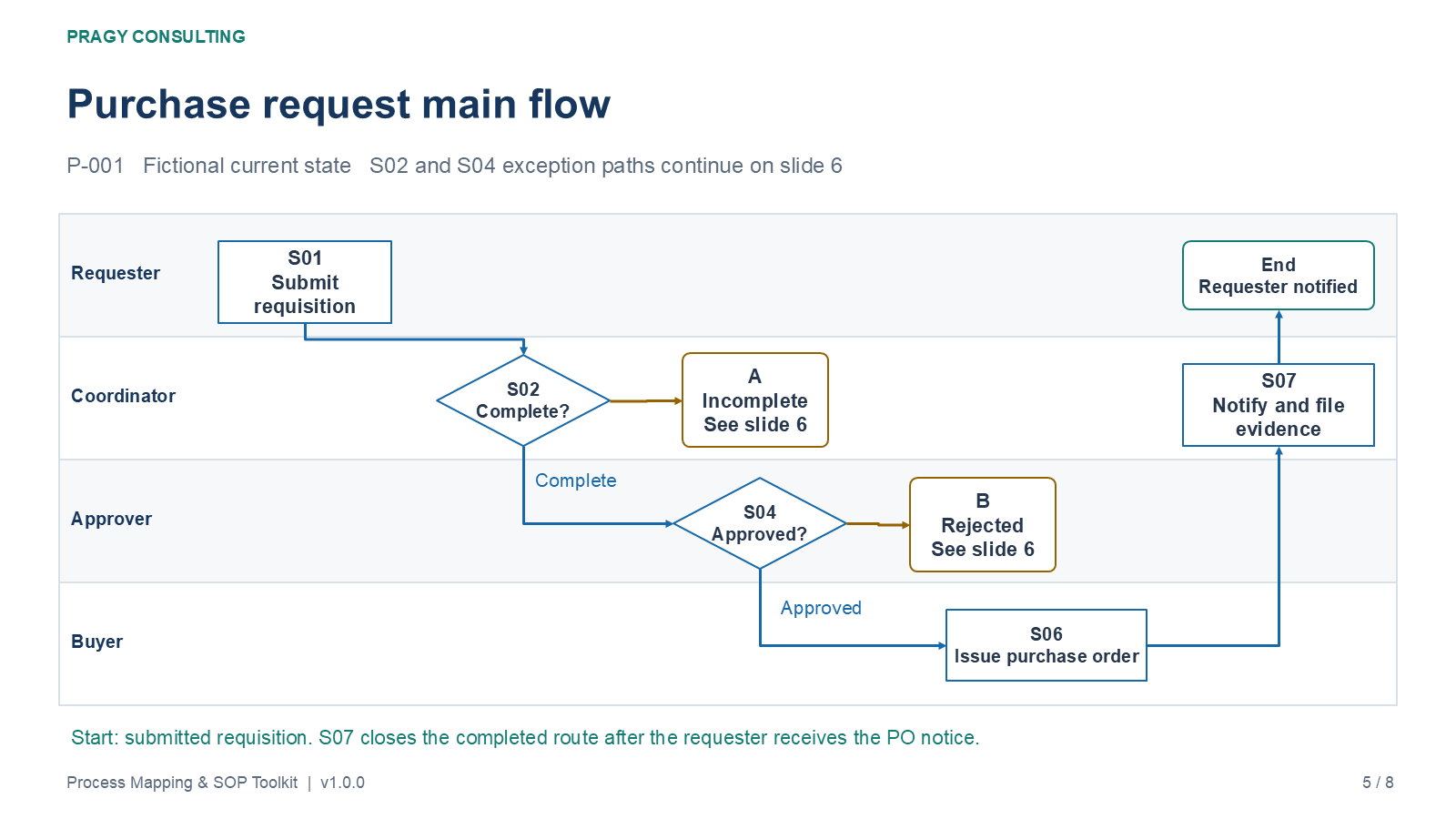
Map the current state by role. Show decision conditions, incomplete information, rework and rejection routes, then use RACI to clarify responsibility and accountability.
Prepare the procedure for release
Translate the agreed steps into an SOP. Trial normal and exception cases, resolve issues, obtain approval and brief users before the procedure takes effect.
Editable maps that support the conversation
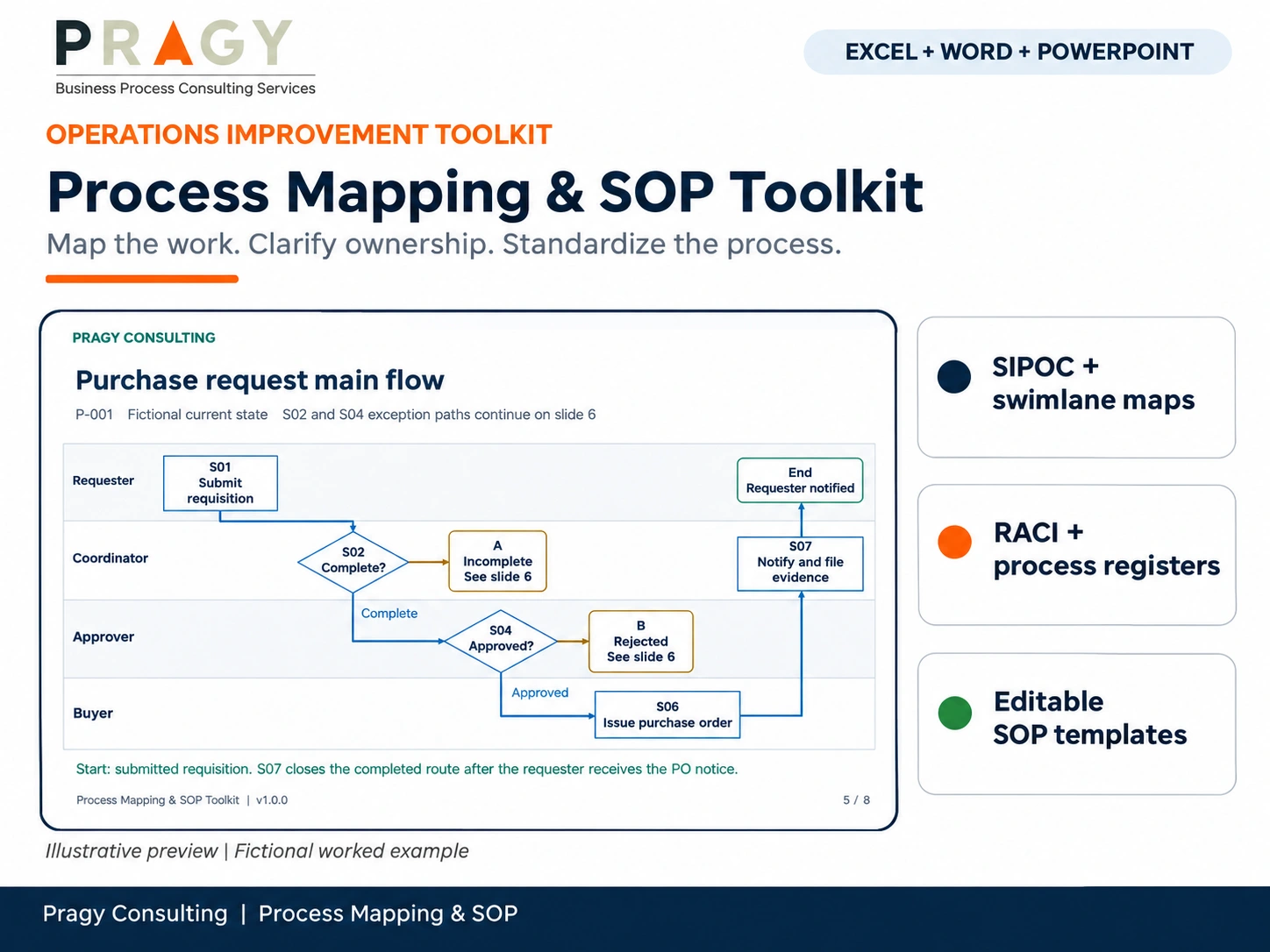
The PowerPoint file provides eight editable slides, including a SIPOC template, current-state and future-state swimlane templates, a completed purchase-request map with separate exception paths, and a map-to-SOP handoff review.
The maps use native shapes and text so you can adapt the roles, steps and branches. Keep decision shapes and their labels together when moving them, and recheck arrow endpoints after changes. The companion PDF is a convenient reading copy.
Keep process ownership and review work visible
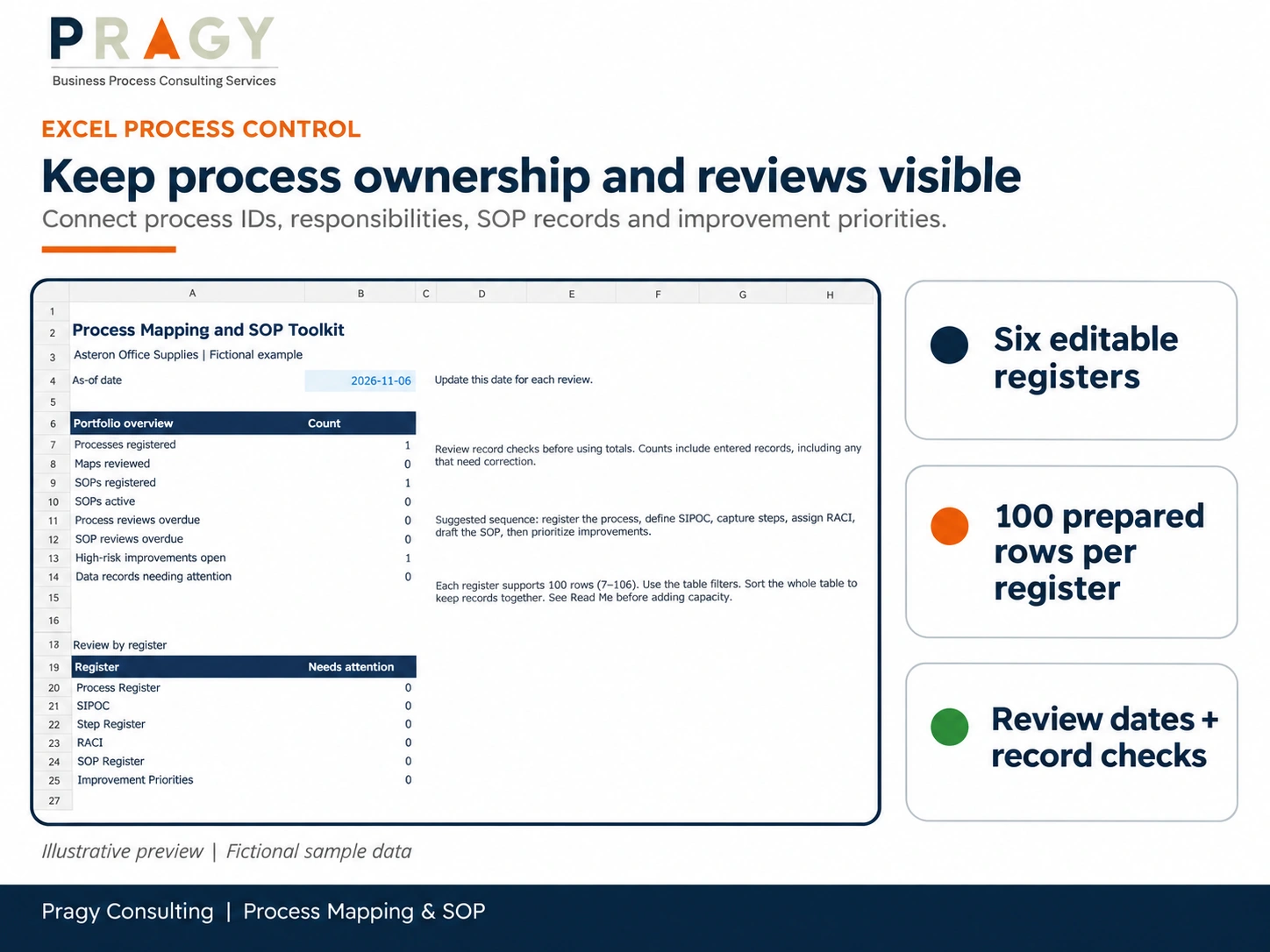
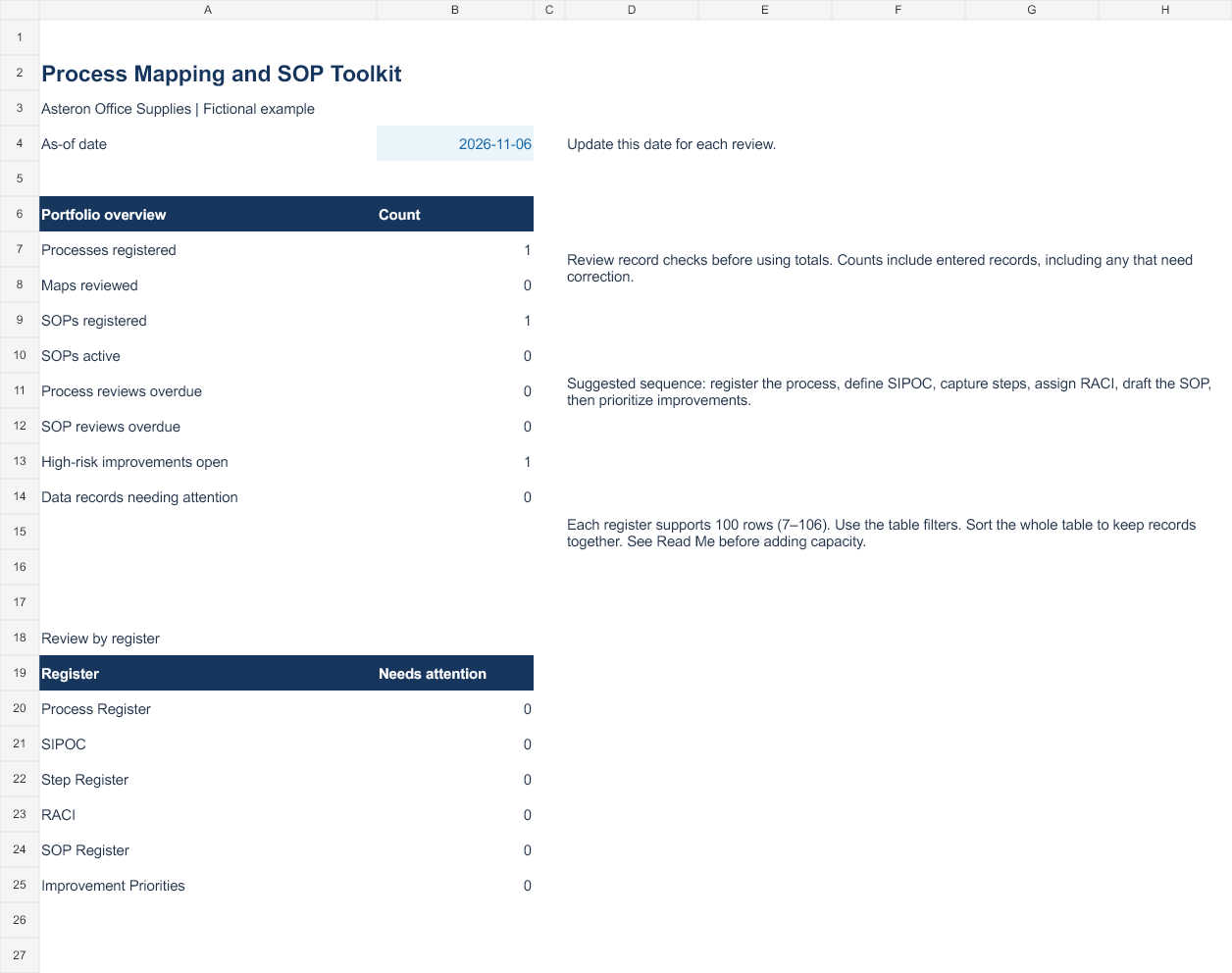
The Excel workbooks bring together a Process Register, SIPOC, Step Register, RACI, SOP Register and Improvement Priorities. A Summary view shows portfolio counts, overdue reviews, open high-risk improvements and records that need attention.
Built-in checks flag issues such as duplicate or missing IDs, unknown process or step references, incomplete approval evidence and unclear RACI assignments. The SOP Register keeps drafts distinct from active procedures and helps you track versions and next review dates.
Give improvement ideas a consistent discussion
Compare improvement candidates using impact, urgency and effort, each scored from 1 to 5. The priority score is (Impact + Urgency) divided by Effort. Record the reason for the scores, the risk and a next action so a number does not replace judgment.
High-risk or mandatory work still needs the appropriate owner regardless of its score. Use evidence, dependencies and team capacity when deciding which changes to trial.
Write the SOP with the difficult cases included
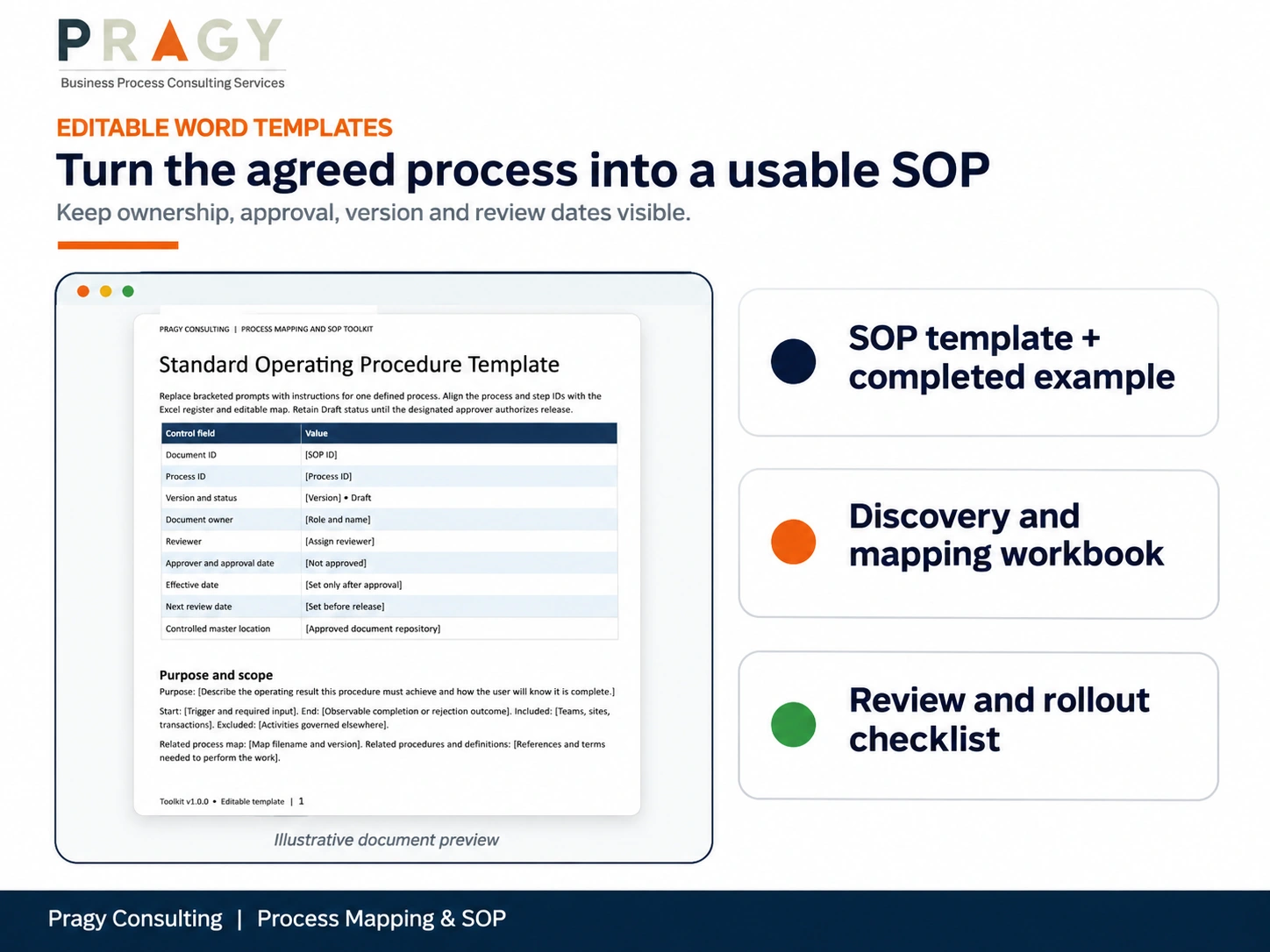
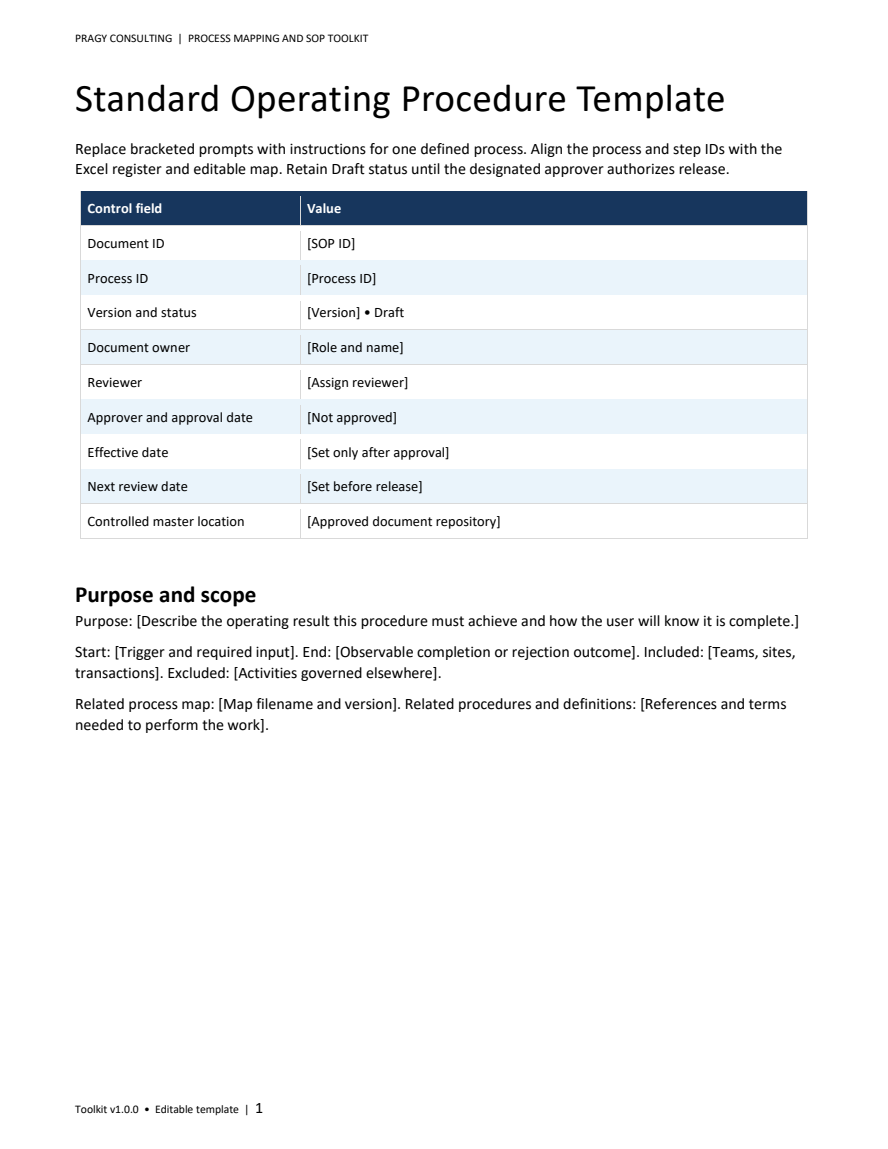
The Word SOP template covers purpose, scope, document control, roles, prerequisites, procedure steps, exceptions, records, measures, trial acceptance and revision history. The discovery workbook helps you prepare interviews, record observations and facilitate the mapping session.
The review and rollout checklist keeps content checks, trial evidence, approval, training and replacement of obsolete copies part of the release discussion. Your designated approver decides whether the procedure is ready; the toolkit does not approve it automatically.
What you receive
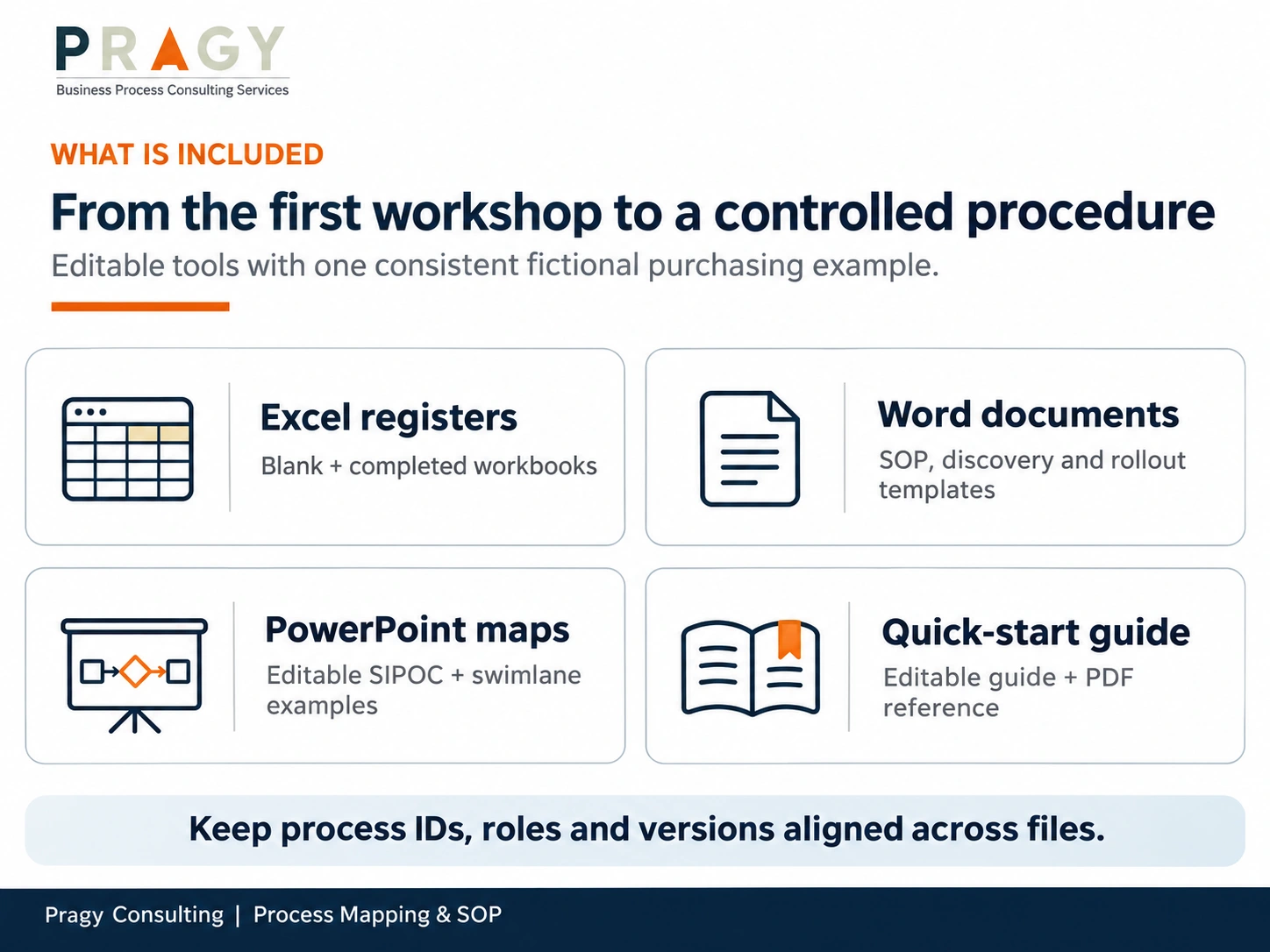
- Blank and completed-example Excel workbooks with eight worksheet areas and six operational registers.
- An editable Word SOP template and a completed fictional purchase-request SOP.
- An editable Process Discovery and Mapping Workbook in Word.
- An editable SOP Review and Rollout Checklist in Word.
- An eight-slide PowerPoint map and example collection, plus its PDF reading copy.
- A three-page Quick Start Guide in editable Word and PDF formats.
- README, file manifest with checksums, and the licence for your selected purchase option.
The Asteron Office Supplies example is fictional. Its SOP-001 version 0.1 remains a draft, with no approval or effective date. Adapt the example to your organization’s actual rules and authority before operational use.
Your first working session
- Follow the completed purchasing example across Excel, PowerPoint and Word.
- Copy the blank workbook, set the review as-of date and register one process with clear boundaries.
- Observe the work, complete SIPOC and step records, and map the real handoffs and exceptions.
- Agree responsibilities and proposed improvements; test the changed process with representative cases.
- Complete the SOP and rollout checklist, then record the approved version, owner and next review date.
Compatibility and working limits
Target applications: current desktop Microsoft Excel, Word and PowerPoint on Windows. Microsoft 365 desktop is the recommended working environment. Microsoft Office is not included. The XLSX files contain no VBA macros or external workbook links. Other office applications may change formulas, validation, map connectors, layout or pagination.
The Excel registers provide 100 prepared input rows per register. Extending capacity requires extending the related formulas, validation, formatting and summary ranges together and checking the result.
The files are independently editable and do not synchronize automatically. Keep process IDs, step IDs, roles and versions consistent manually. Store the released files in your controlled master location and archive superseded versions.
Native Excel calculation and input-change checks passed 46 assertions, and both final workbooks recalculated and reopened without formula errors. Native Save/SaveCopyAs could not be verified because the validation computer’s Office licence had expired. Filtered sorting was not fully verified. Evaluate saving and sorting in your licensed environment before operational use; follow the Read Me and filter Ready improvement records before sorting their scores.
Licence, delivery and support
Choose Single User or Team / Business for the permitted use you need. Your selected licence is included with the digital ZIP. Following successful checkout, the protected WooCommerce download is available through the order email and account download area. Three downloads are available for 30 days. No physical product is shipped.
Standard support covers file access and documented compatibility. Process facilitation, customization, integration and implementation require a separate scope. Contact info@pragyconsulting.com.
Digital Product Terms · Refund & Cancellation Policy
Frequently asked questions
Do I need specialist process-mapping software?
No. The maps are editable PowerPoint shapes and text, the registers are Excel workbooks, and the procedures are Word documents. Use the corresponding desktop applications.
Will changing a map update the SOP automatically?
No. The files are independent. Update the related step register, map and procedure manually, then check IDs, roles, decisions and versions together before release.
Is the example SOP ready for my organization to use?
It is an illustrative draft, not an approved procedure. Replace the example requirements, roles and authority with your own, trial the normal and exception routes, and complete your approval and training process.
Does the toolkit check who is accountable?
The RACI register checks for exactly one Accountable role and at least one Responsible role per task, as well as valid role codes and step references. Your team must assign the right people and confirm their authority.
Can I track more than one process?
Yes. Use unique IDs across the prepared registers and keep each process’s files and versions consistent. Each register has 100 prepared rows; this is not unlimited capacity.
Does it provide document approval or version-control automation?
No. It provides editable records and checks to support your process. Approval decisions, controlled storage, access, training and replacement of obsolete copies remain your organization’s responsibilities.
Validate the methods, definitions and procedures for your context. This resource does not confer certification, provide professional or regulatory advice, or guarantee a business, compliance or process-performance outcome.



Reviews
There are no reviews yet.