
Description
Turn a recurring problem into an owned, evidence-led improvement.
A problem register tells you what went wrong. A useful corrective-action review also shows why it happened, which actions address the causes, and whether the result lasted. The Pragy Root Cause & Corrective Action Toolkit brings that work together in one Excel workbook, supported by a seven-step training presentation and editable A3 workshop resources.
Use it for manufacturing defects, delivery delays and recurring service-process issues. Keep the problem, its causes, action owners, target measures and review findings connected as the investigation develops.
One case, from the first facts to verified closure
Describe the gap clearly
Record the starting situation, define the problem and set a measurable target. Use the guided Case Review to see the current stage and what needs attention next.
Connect causes to action
Separate cause hypotheses from supported findings. Link several actions to a cause, or one shared action to several causes, without duplicating the action record.
Check the result
Track measures against the target, record effectiveness reviews and capture lessons learned. Implementing an action and verifying its closure are separate steps.
A Gantt that follows the problem
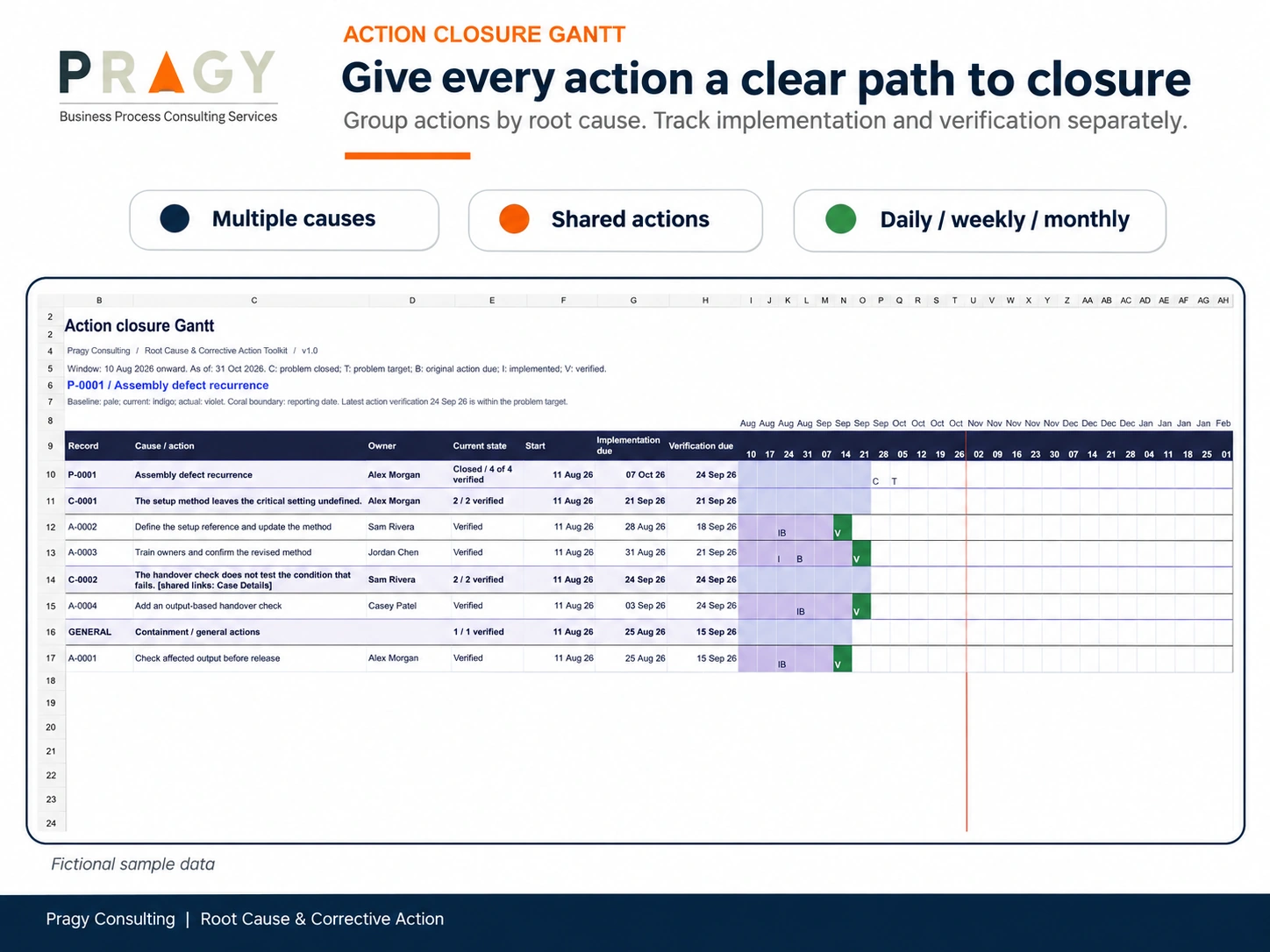
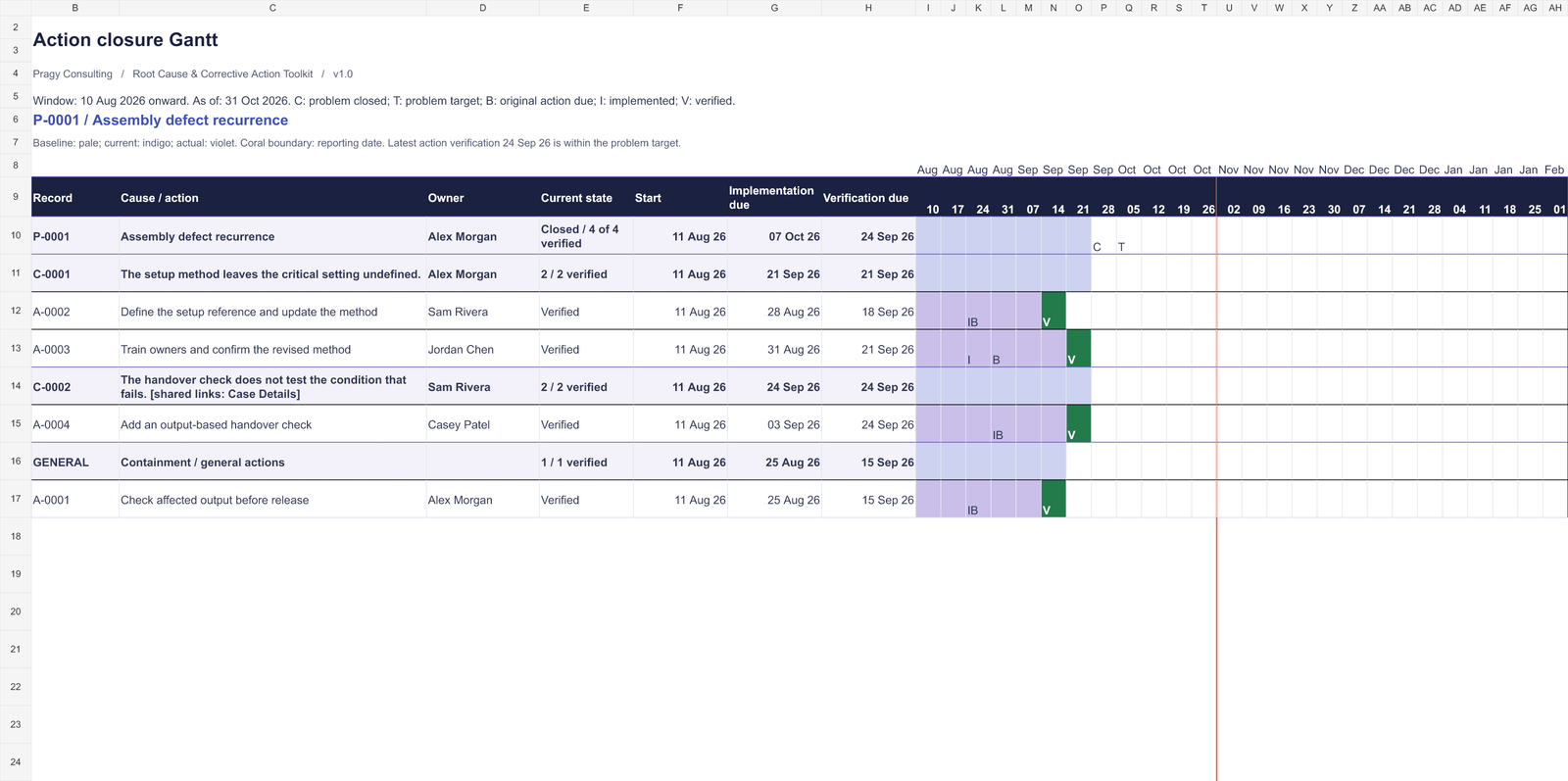
Select a Problem ID to review the high-level problem, its root-cause groups and the actions beneath them. A 26-column timeline offers daily, weekly and monthly views. Compare original and revised plans with actual implementation, planned verification and verified-closure milestones.
The Gantt helps a review team see overdue work and activities outside the visible window. It reads the central records and dated updates; users approve and record date changes themselves. It does not automatically reschedule actions.
See the trend behind the individual case
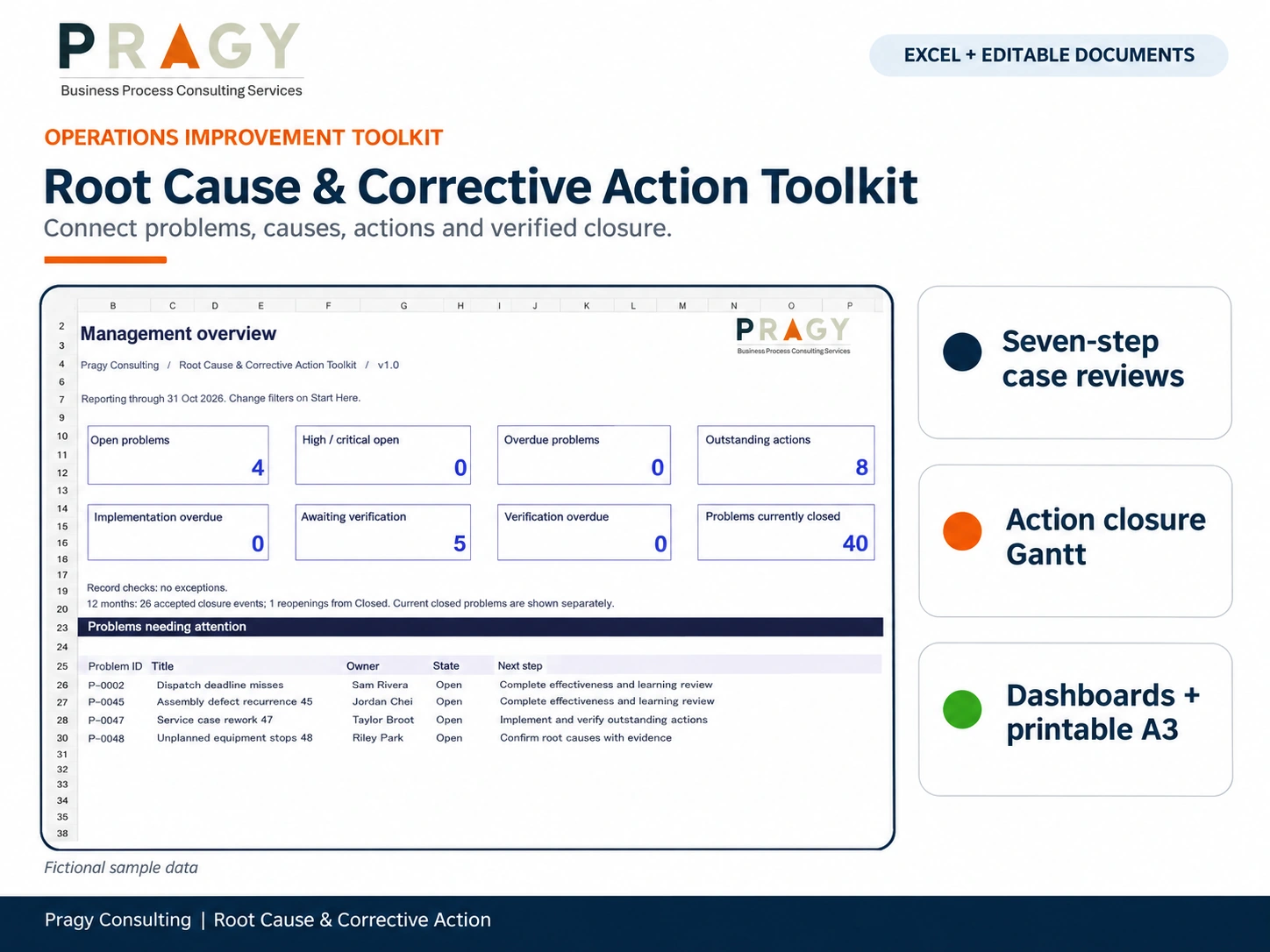
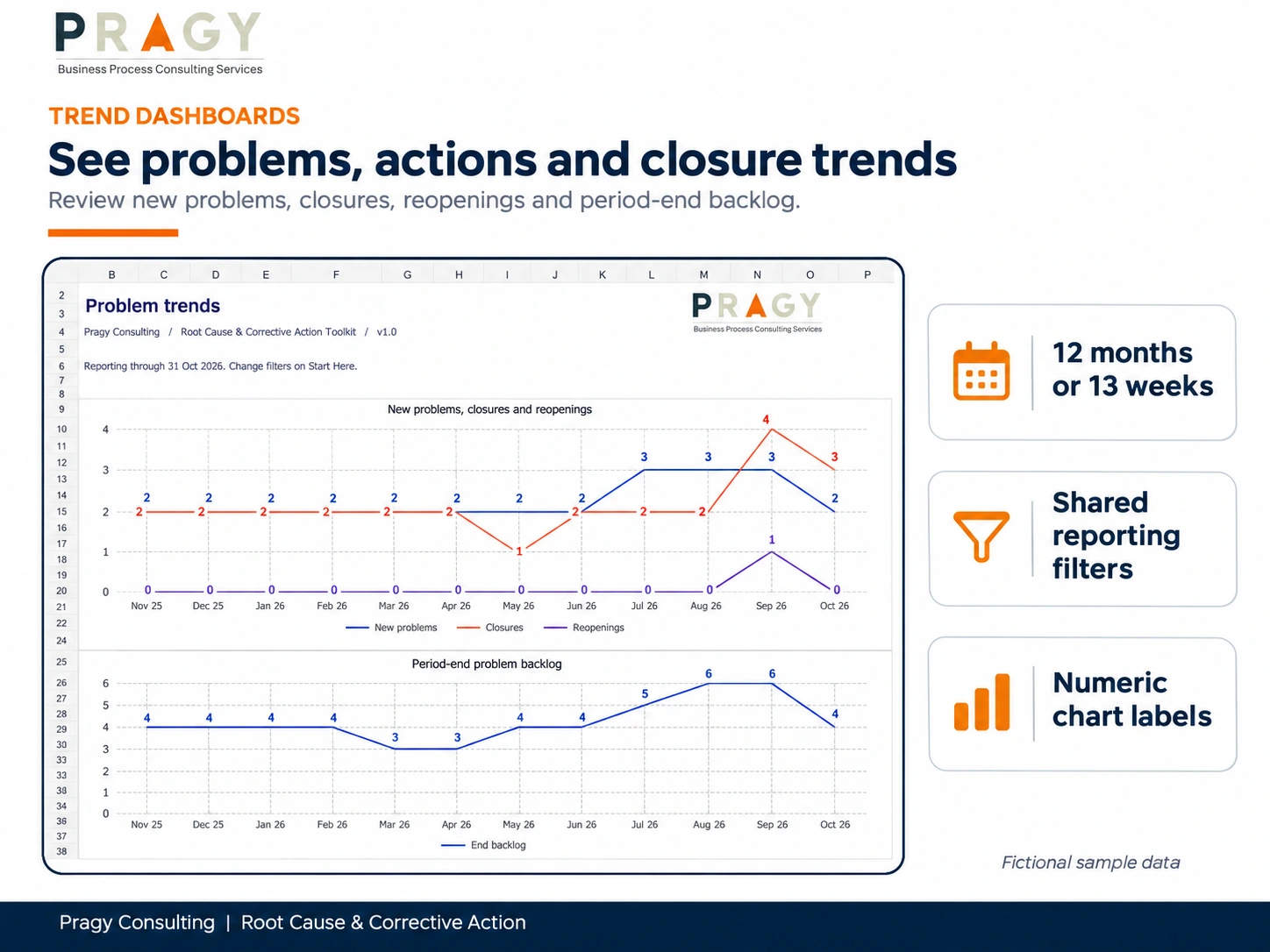
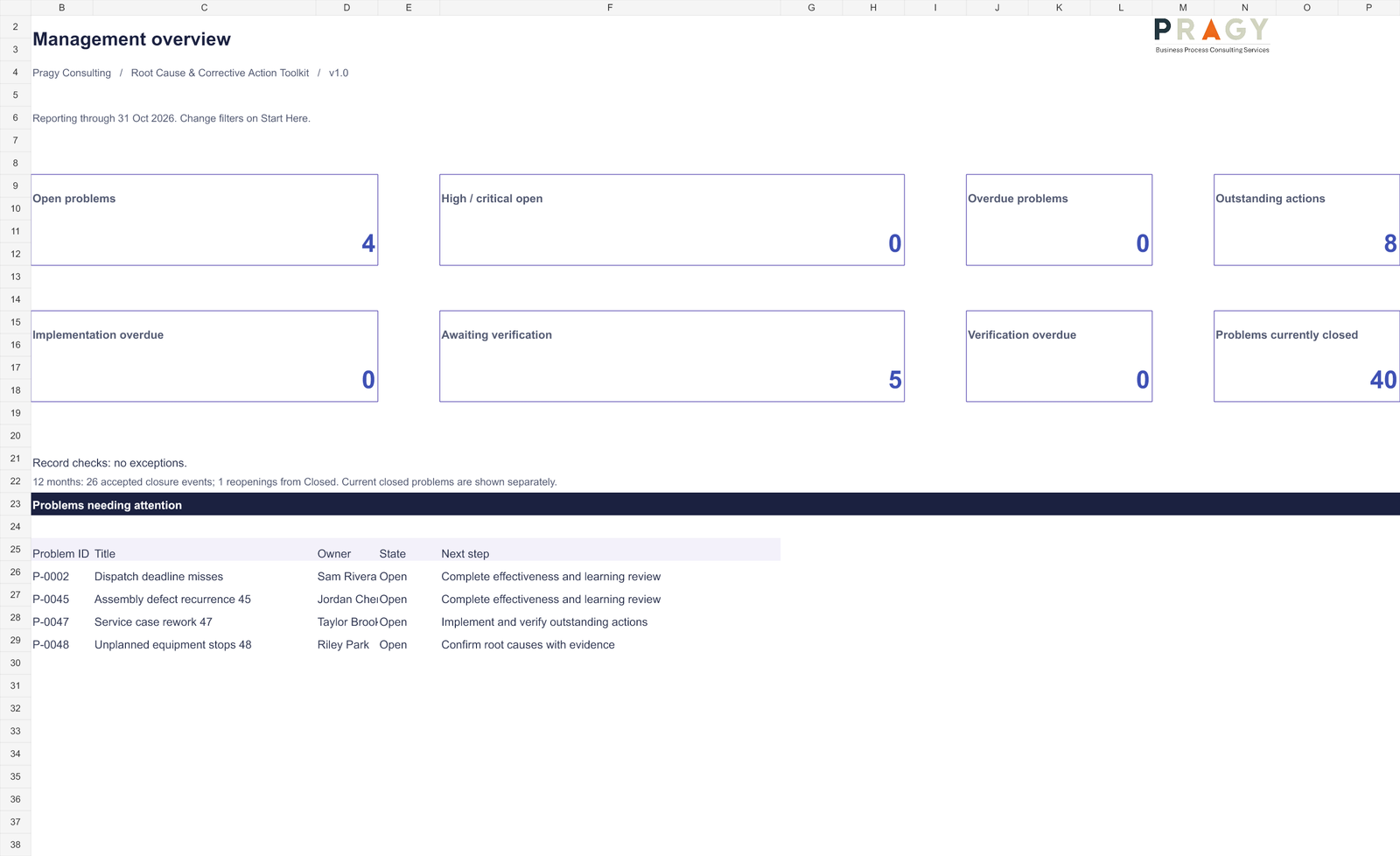
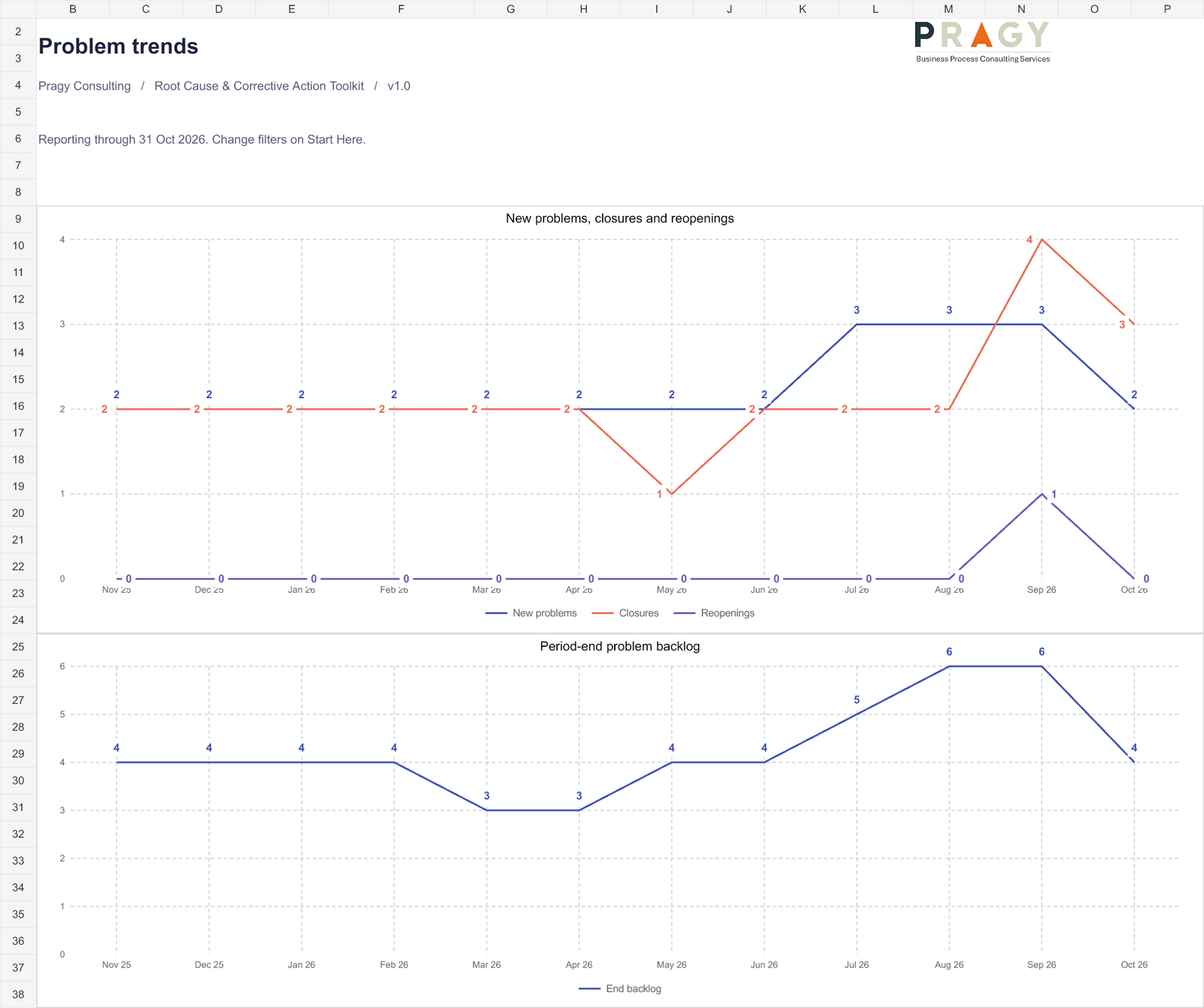
Four dashboard areas bring together the management overview, problem trends, action performance, and effectiveness and learning. Review new problems, backlog, accepted closures, reopenings, overdue actions, owner workload and pending effectiveness checks. Use the reporting cutoff and shared filters to focus the review.
Trend views use the latest 12 months or 13 weeks. Numeric chart labels make results easier to read. Outcome charts keep each problem’s unit separate, while dated history preserves the distinction between a closure event, a reopened problem and a new recurrence.
Bring a clear A3 to the review
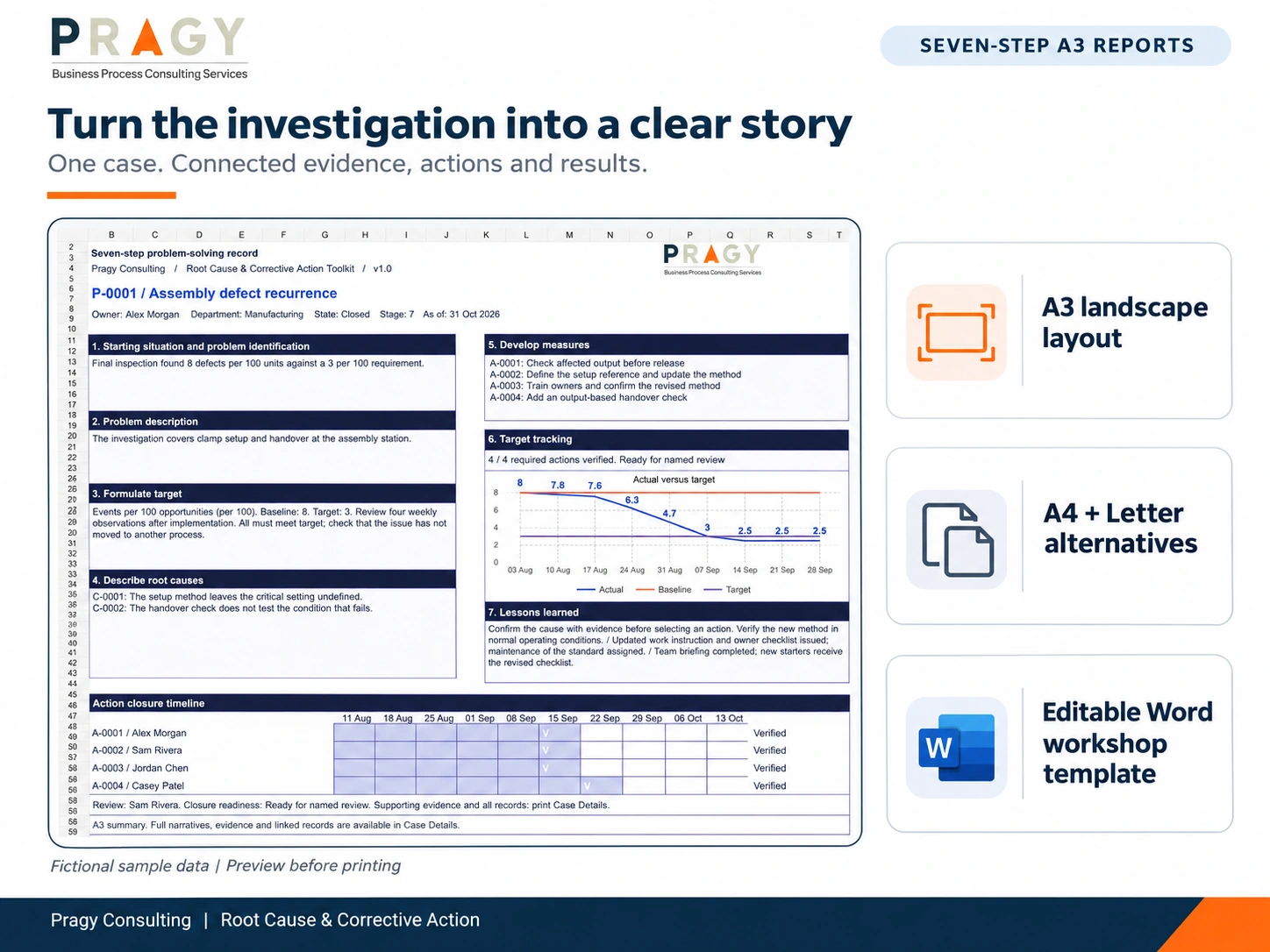
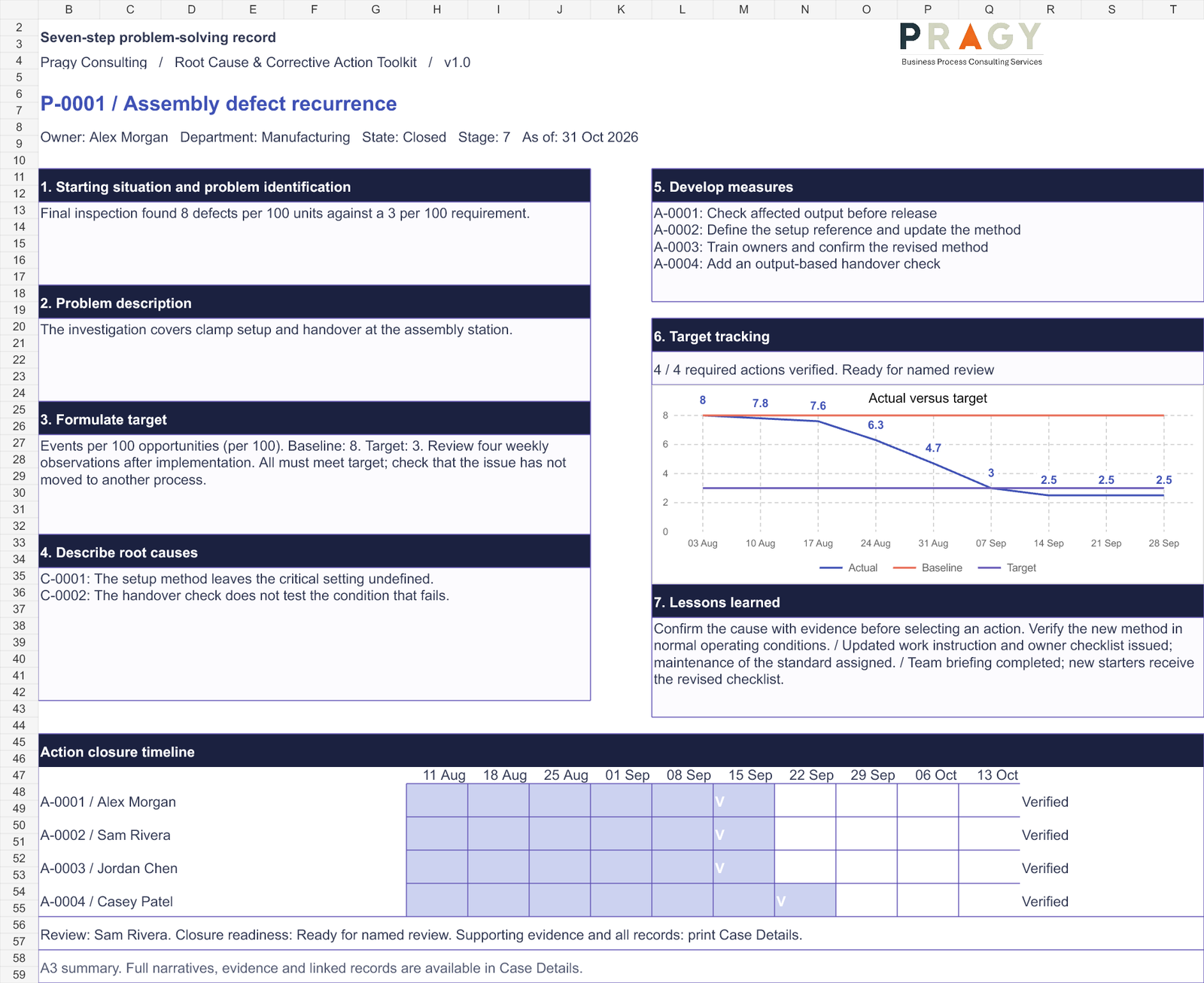
The branded A3 storyboard brings all seven steps onto one landscape A3 layout, with an action summary, compact Gantt and actual-versus-target chart. Two-page A4 and US Letter alternatives are included. Numbered supporting details keep longer narratives and records available beyond the summary.
The editable Word template supports workshops and facilitated discussion. Enter the resulting findings into the workbook when they need to appear in its reports.
What you receive
- Blank and populated sample Excel workbooks with the same functionality.
- A 44-slide seven-step training presentation in editable PPTX and PDF, with facilitator notes and exercises.
- An editable A3 workshop template in DOCX and a printable PDF.
- Three fictional worked cases: manufacturing defects, delivery delays and a recurring service-process issue.
- Three completed A3 example reports, plus a Quick Start, User Guide and verification summary.
- README, package checksums and the licence for your selected purchase option.
The sample workbook contains 24 months of clearly identified fictional activity. Examples demonstrate the method; they are not customer results or performance promises.
Start with a small, real case
- Read the Quick Start and explore a completed case in the Sample workbook.
- Open the Blank workbook, set the reporting date and register a problem with a permanent ID.
- Add the target, cause findings and actions. Record lifecycle and deadline updates in the history log.
- Review the case, Gantt and dashboards; inspect the A3 print preview before exporting or printing.
Compatibility and version 1.0 limits
Target application: desktop Microsoft Excel for Microsoft 365 on Windows. The XLSX workbooks contain no VBA macros, external workbook links or automatic data feeds. Word and PowerPoint files are editable in their corresponding desktop applications. Microsoft Office is not included. Other spreadsheet applications are not supported.
Calculation, structure and visual checks are documented in the supplied verification summary. Native interactive editing, adding table rows and Excel print/PDF export remain unverified because the validation computer’s Office licence prevented those checks. Review that summary and evaluate these workflows in your licensed environment before relying on the toolkit operationally.
The outcome chart displays the latest 50 measurements for the selected problem. The Gantt supports 2,000 combined cause/action source rows, and Case Details provides 20,000 continuation parts. Use the documented view limits and review the supporting registers when a summary is filtered or limited.
Licence, delivery and support
Choose Single User or Team / Business for the permitted use you need. Your selected licence is included with the digital ZIP. Following successful checkout, the protected WooCommerce download is available through the order email and account download area. Three downloads are available for 30 days. No physical product is shipped.
Standard support covers file access and documented compatibility. Custom setup, integration, investigation support and implementation require a separate scope. Contact info@pragyconsulting.com.
Digital Product Terms · Refund & Cancellation Policy
Frequently asked questions
Can I manage several problems in the same workbook?
Yes. Central registers connect problems, causes, actions, measurements, reviews and dated history through permanent IDs. Selecting one Problem ID drives its Case Review, Gantt and A3.
Can one action address more than one root cause?
Yes. Store the action once and associate it through cause/action links. It appears under a designated primary cause, with cross-references for other linked causes.
Does implementing an action close the problem?
No. Implementation, action verification and final problem closure remain distinct. Closure readiness includes supported causes, required actions, a passing effectiveness review, learning or standardization, and a named review.
Does the toolkit connect to an ERP or quality system?
No. It uses manually maintained Excel records and history. It is a general operations problem-solving and review resource, not an integrated or validated quality-management system.
Can I print the A3 reports?
The workbook provides A3 landscape and two-page A4 and Letter layouts with supporting details. Inspect the print preview and validate your local Excel export workflow. The package also includes printable example PDFs and a Word workshop template.
Validate the method, definitions and outputs for your context. This resource does not provide professional or regulatory advice, confer certification, or guarantee a business, quality or compliance outcome.



Reviews
There are no reviews yet.